Deal Analyzer 2.0 and 2.1: What's New
By Scott Blair ·
Deal Analyzer 2.0 is the biggest update since the extension launched. We rebuilt it around the question every buyer starts with: after the loan payments, what does this business leave you? Version 2.1 follows with three ways to pay for a building when it's part of the asking price. Your extension updates on its own, so here's what changed.
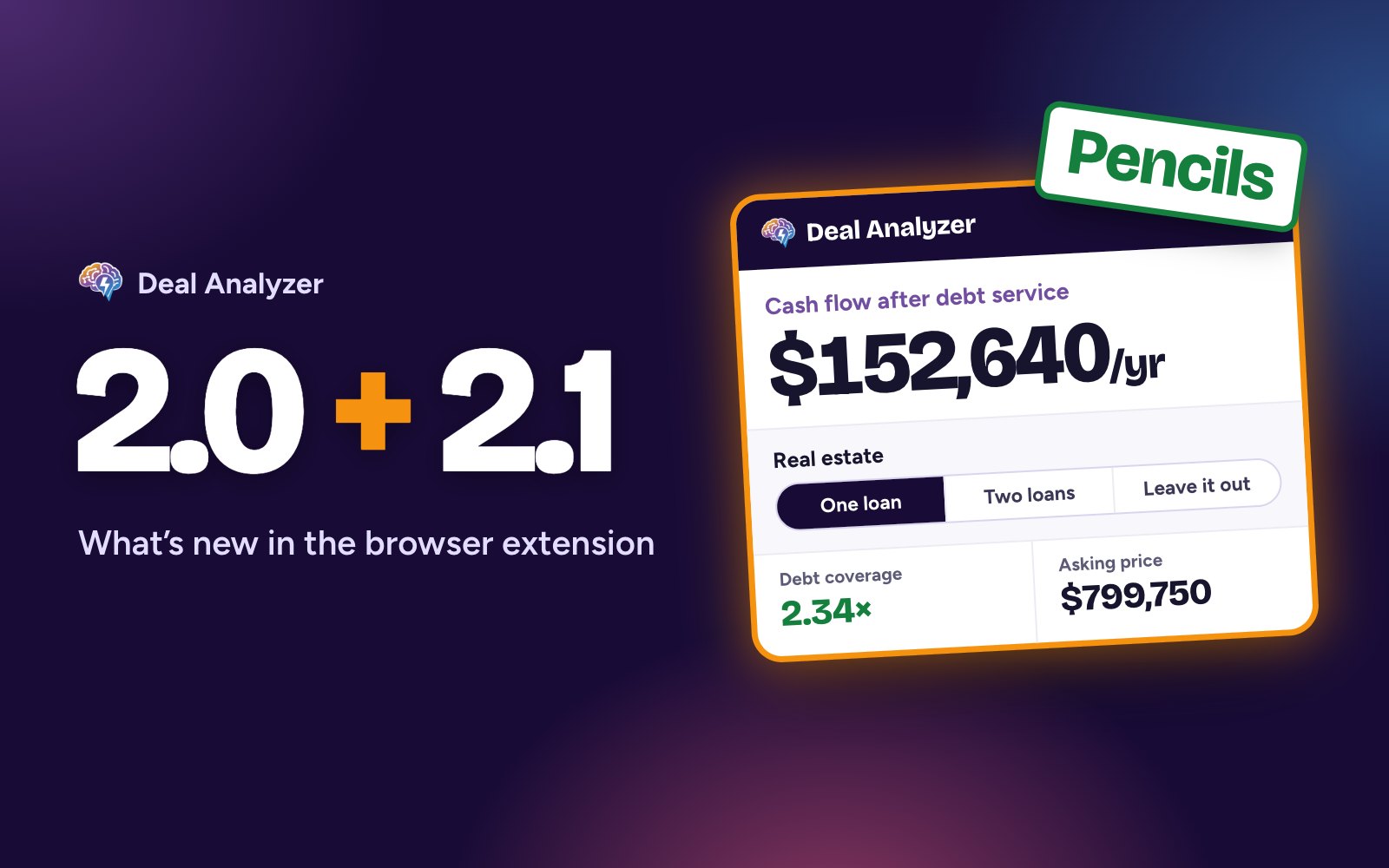
2.0: a new numbers card on every listing
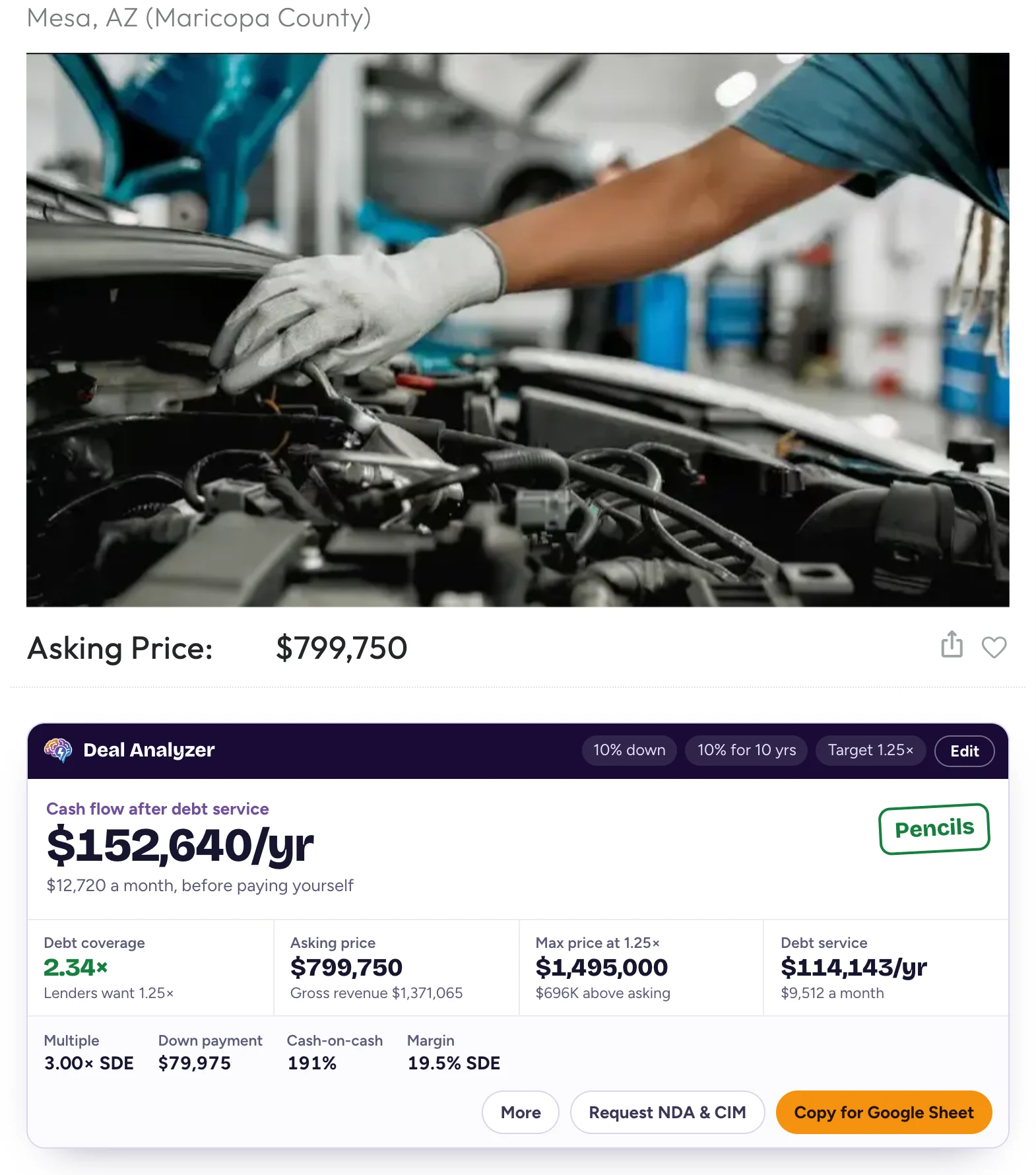
- Cash flow after debt service is the big number, with a verdict stamp: Pencils, Tight or Doesn't cover.
- Debt coverage, the most you could pay at your target coverage and the yearly debt service sit right under it, along with the asking price and the down payment in dollars.
- Debt service is now figured on the loan amount: the price less your down payment. Earlier versions used the full price, which overstated the payments.
- Your salary is optional and starts at $0, so the verdict judges the business on its cash flow alone. Add a salary in Settings if you want it counted.
- When a listing leaves numbers out, the card still helps. No cash flow shows the cash flow the deal would need; no price shows the highest price that works. Losses are read as losses, and $1 placeholder prices count as not listed.
- More shows year-one tax estimates: FF&E under this year's IRS limits for Section 179 and bonus depreciation, and the building's share from a cost segregation study.
- Copy for Google Sheet still drops a full row into the Deal Analyzer Sheet template.
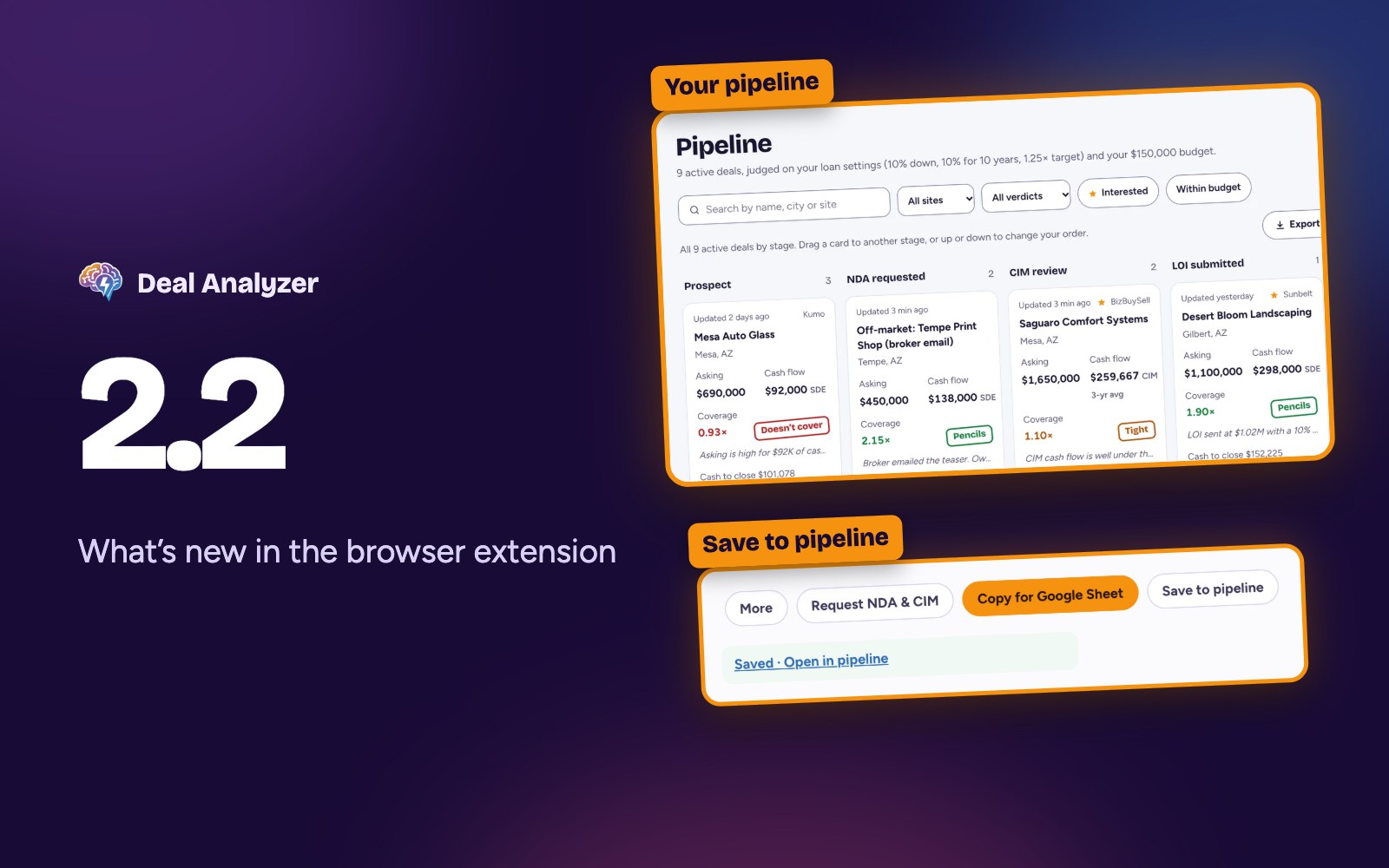
New: the Deal Analyzer pipeline keeps every deal you're tracking in one place, no spreadsheet needed. Join the closed beta waitlist.
Search results you can sort
- Each result gets a numbers strip or a verdict badge. Pick the one you like in Settings.
- Sort a page of results by cash flow after debt service, debt coverage, multiple or max price.

Request the NDA and CIM in one click
Request NDA & CIM drafts a note to the broker asking for the NDA, the CIM and any numbers the listing leaves out, signed with your name and contact details. On sites with a contact form, it fills in the form and scrolls you to it. You read it over and press the site's Send button; Deal Analyzer never sends anything for you.
17 listing sites
Deal Analyzer now works on 17 business-for-sale sites. New in 2.0: First Choice Business Brokers, HedgeStone, Murphy Business Sales, We Sell Restaurants and LINK Business. Acquire.com, BizScout and Kumo work once you're signed in to them.
A redesigned toolbar popup
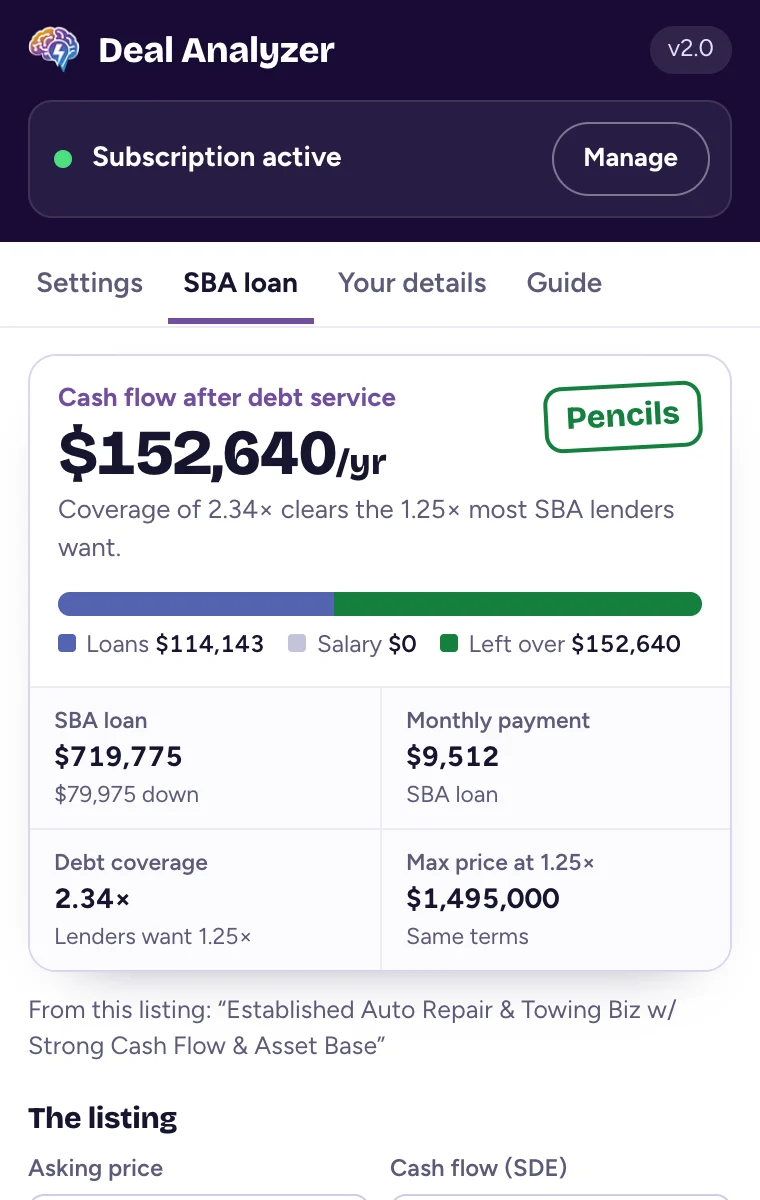
- Settings: your loan rate, term, down payment and payment type, target coverage and optional salary. A sample $1 million deal at the top shows what your settings mean as you type.
- SBA loan: an SBA 7(a) calculator with an optional seller note, using the same math as our SBA acquisition calculator. Open it on a listing and it starts from that listing's price and cash flow.
- Your details: the name, email, phone and ZIP code that sign your NDA and CIM requests.
- Guide: the Google Sheet template, the supported sites and what each number means.
2.0 also runs in desktop Firefox, and you can install it from Firefox Add-ons.
2.0.1 and 2.0.2: smaller updates
- 2.0.1 lets dealanalyzer.ai know whether you're on a free trial or a paid plan, so the emails you get match where you are. The Firefox version also lists the data it sends, as Mozilla requires.
- 2.0.2 adds a line to every numbers card and to the popup saying plainly that the figures are estimates, not financial or legal advice.
2.1: when the building is part of the price
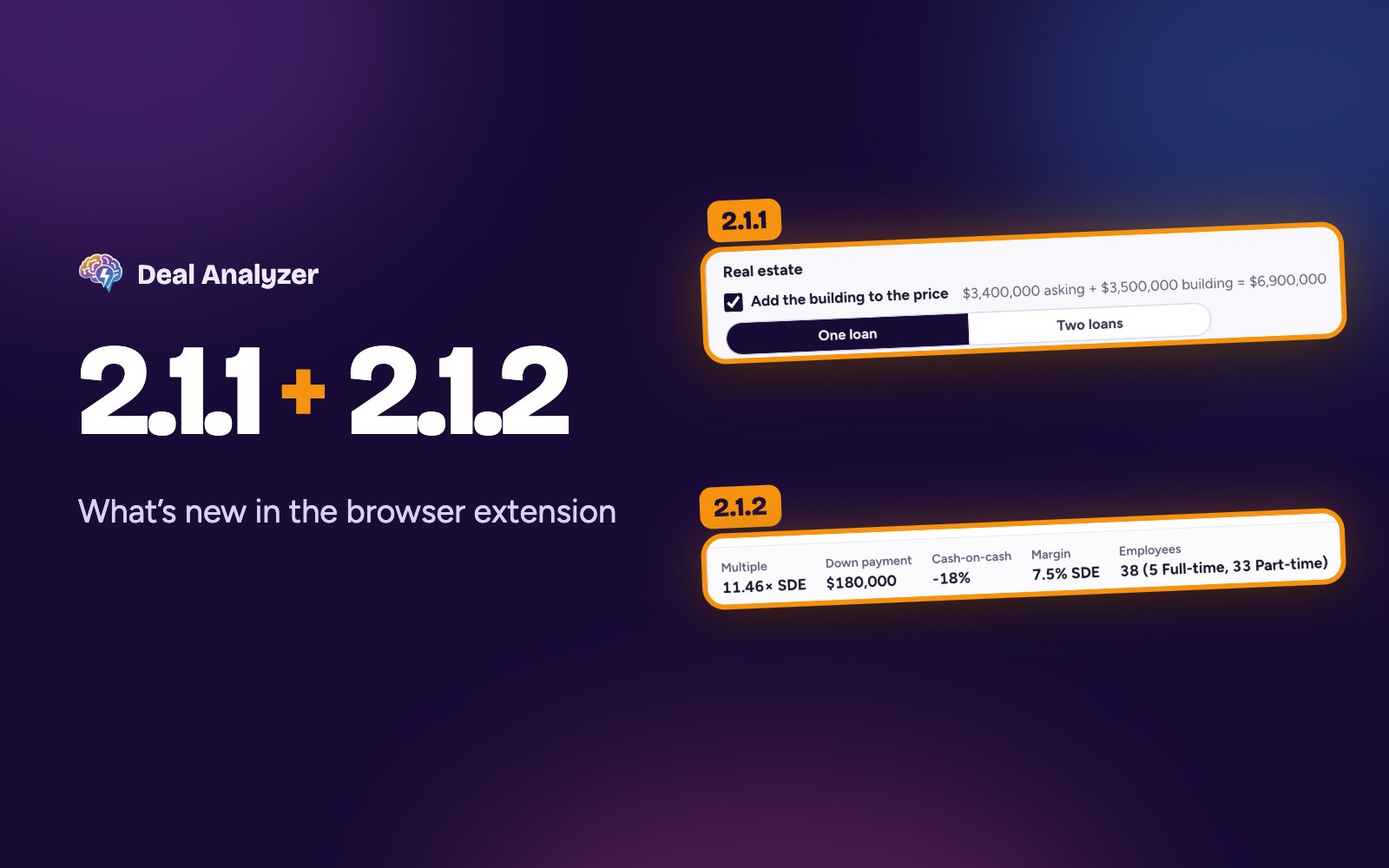
Some listings include the real estate in the asking price, and lenders don't finance a building like the rest of a business. Under SBA rules for loans numbered on or after October 1, 2026, a business and its building go on one loan with a weighted-average term, or on two separate loans. Before 2.1, Deal Analyzer put the whole price on your usual loan term, which could make these deals look worse than a lender would see them.
Now, when a listing's price includes the building, the card adds a Real estate row with three choices:
- One loan: everything on one SBA loan. The term is the weighted average of 25 years on the building's share and your loan term on the rest, so a $1.45 million deal with a $650,000 building gets about 16.7 years.
- Two loans: the business on your usual loan and the building on its own. The building loan starts at 25 years at your loan rate, and you can change both; some banks lend up to 30 years on a building.
- Leave it out: buy the business alone and lease the building. The rent you'd pay comes off cash flow. It starts at 8% of the building's value a year until you enter the real rent.
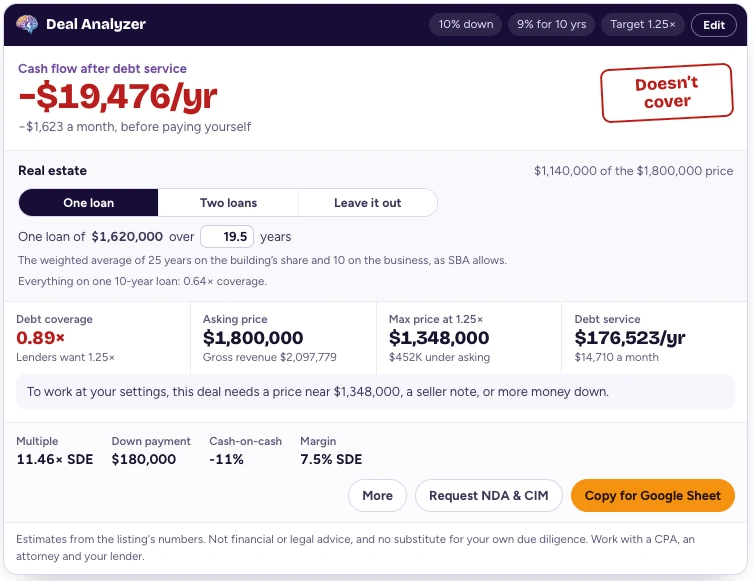
Every number on the card follows your choice: cash flow after debt service, the verdict, coverage, max price and debt service. A line under the choices shows coverage with everything on one loan at your usual term, so you can see how much the structure matters. Set your default in the popup under Settings, Real estate in the price. A choice you make on a listing applies to that listing.
Here's what that looks like on a $1.45 million auto repair shop with $210,000 of cash flow and a $650,000 building, at 10% down and 10% interest. On one 10-year loan, it covers the payments 1.01 times. On one loan at the weighted-average 16.7 years, it covers them 1.31 times, which clears the 1.25 most SBA lenders want.
How to get the update
Chrome, Edge, Brave, Dia and Opera update extensions from the Chrome Web Store on their own, usually within a day or two. The version number shows in the header of the toolbar popup. New to Deal Analyzer? Add it from the Chrome Web Store.
Questions, or something not working? Email support@dealanalyzer.ai.
Deal Analyzer helps you run the numbers. It doesn't replace your own due diligence, and it isn't financial or legal advice. Work with a CPA, an attorney and your lender before you make an offer.