Deal Analyzer 2.1.1 and 2.1.2: What's New
By Scott Blair ·
Two smaller updates follow 2.1. Version 2.1.1 handles listings that price the building separately from the business, and 2.1.2 puts the employee count on the numbers card. Your extension updates on its own. If you missed the bigger changes, here's what's new in 2.0 and 2.1.
2.1.1: add a building that's priced separately
Some listings show the real estate as its own price, not part of the asking price. Version 2.1 only handled buildings included in the price, so on these listings the card judged the business alone.
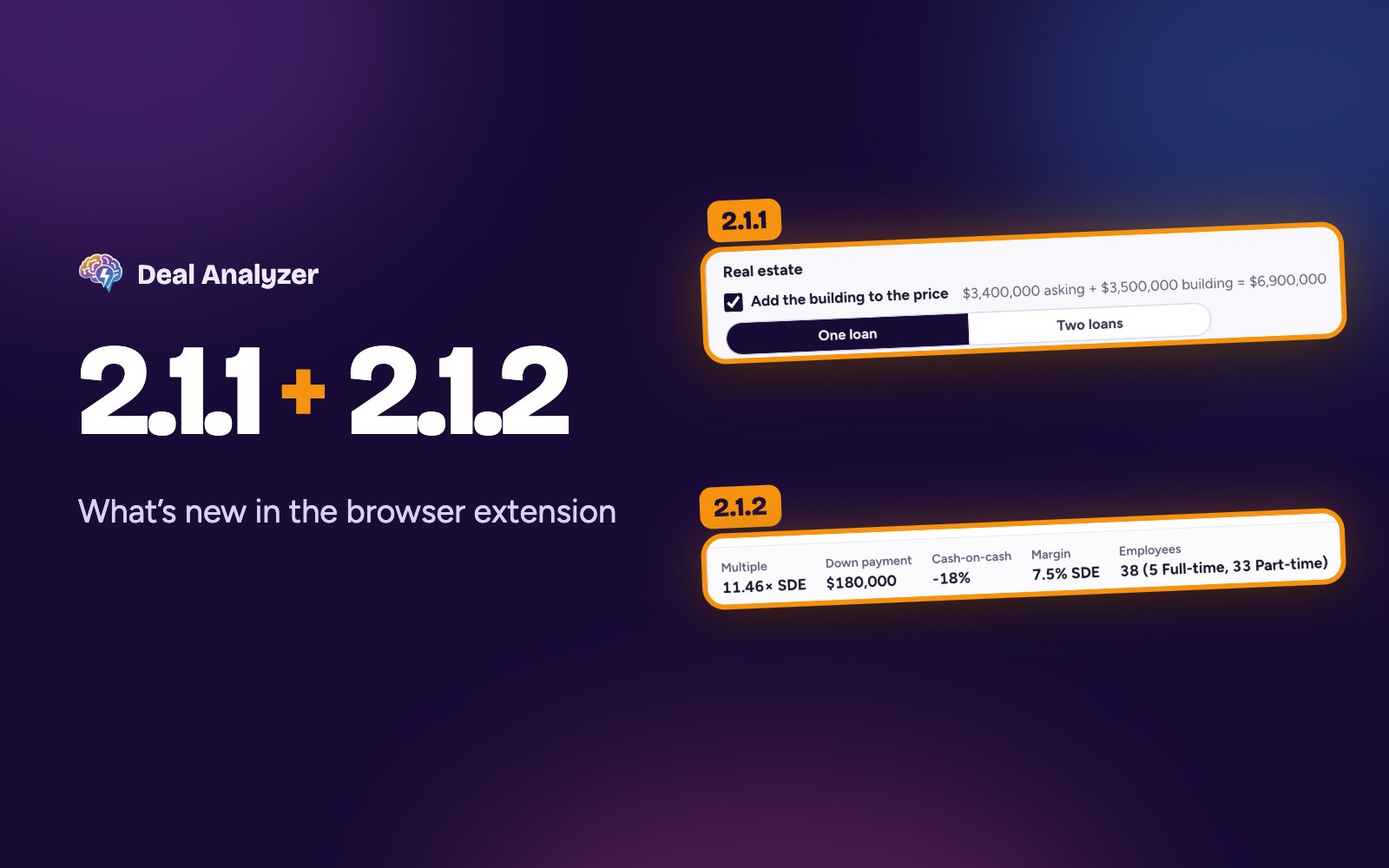
Now the Real estate row on those listings offers Add the building to the price. Tick it and the card:
- Adds the building to the asking price, so you see the whole cost: a $3.4 million furniture store with a $3.5 million building comes to $6.9 million.
- Pays for it with one loan or two, the same choices as 2.1. Leave it out isn't offered here, because that's just the listing as it is.
- Adds back the rent the business pays now, because owning the building ends it. It starts at 8% of the building's value a year. Enter the real rent when you know it, or 0 if the business pays none.
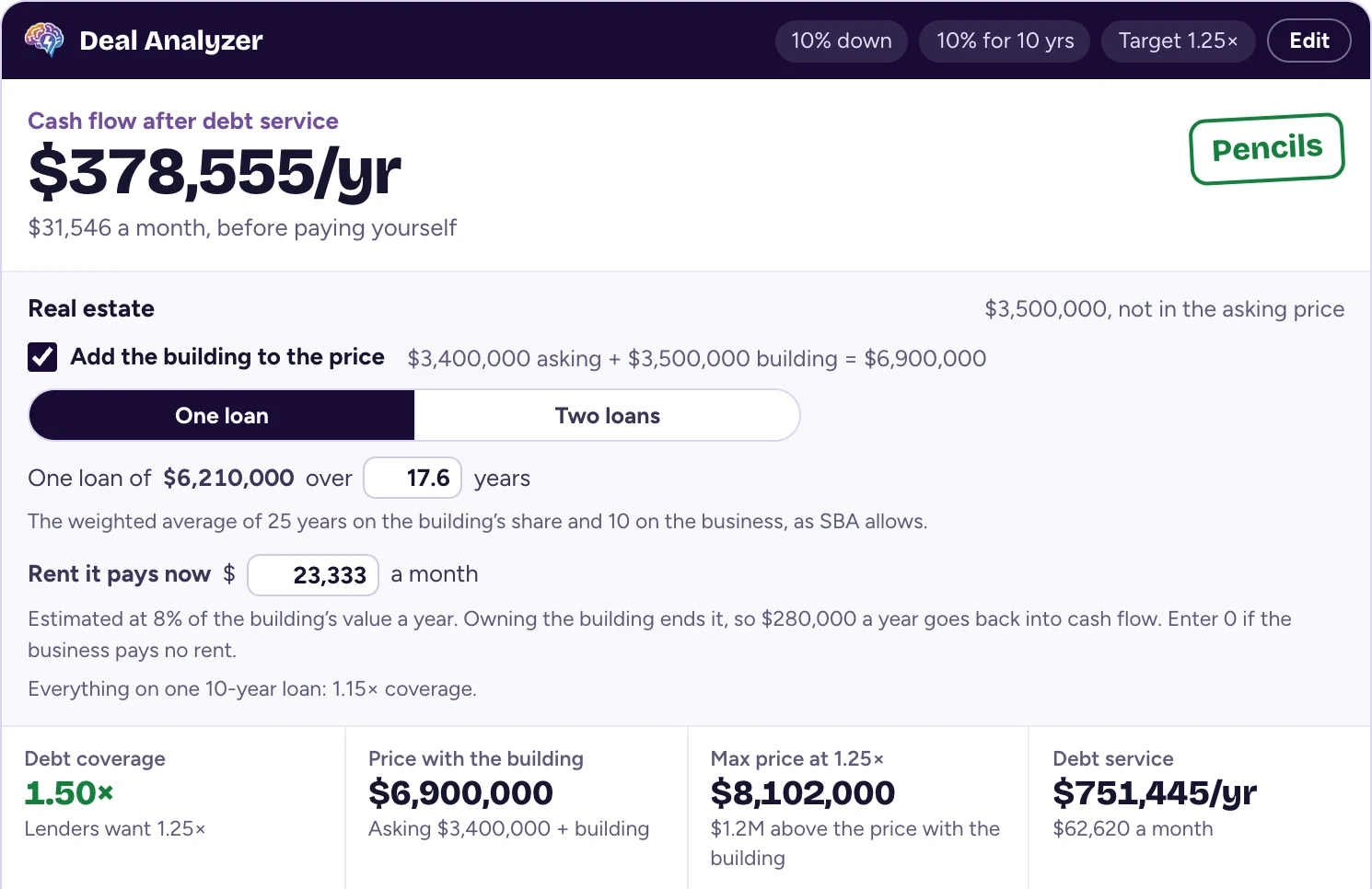
On that listing, at 10% down and 10% interest, one loan at the weighted-average 17.6 years covers the payments 1.50 times with the rent added back. Everything on one 10-year loan would cover them 1.15 times, below the 1.25 most SBA lenders want. Every number on the card follows the choice: cash flow after debt service, the verdict, coverage, max price and debt service.
2.1.2: the employee count, next to Margin
The numbers card now shows how many employees the business has, as the listing states it, right after Margin at the bottom of the card. When a listing doesn't give a count, it's left off. On a listing without an asking price, it sits next to Margin in the numbers grid.
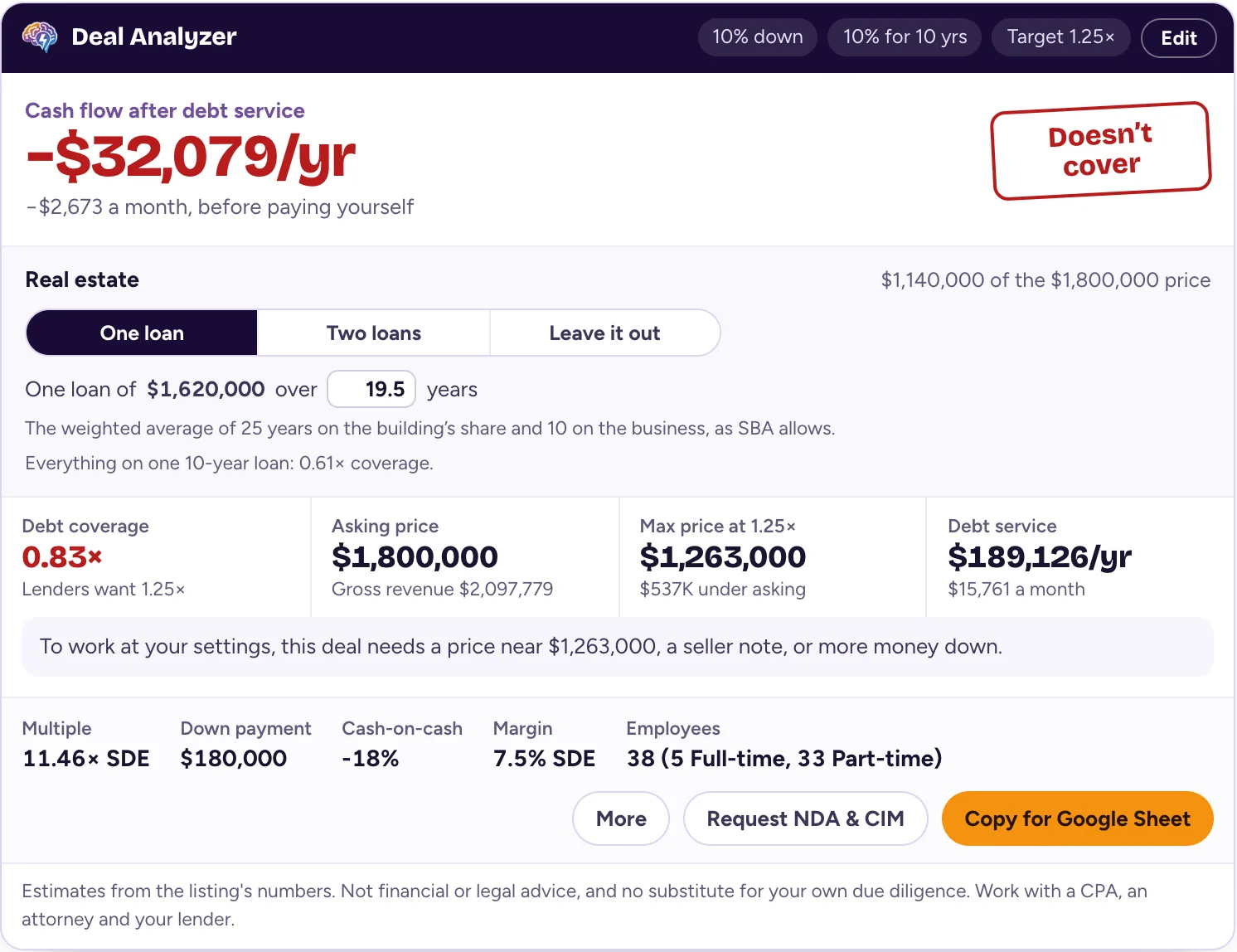
Headcount next to margin is a quick read on how much the business leans on its staff, and a good question for the broker when the cash flow looks thin.
How to get the update
Chrome, Edge, Brave, Dia and Opera update extensions from the Chrome Web Store on their own, usually within a day or two of a new version being approved. The version number shows in the header of the toolbar popup. New to Deal Analyzer? Add it from the Chrome Web Store.
Questions, or something not working? Email support@dealanalyzer.ai.
Deal Analyzer helps you run the numbers. It doesn't replace your own due diligence, and it isn't financial or legal advice. Work with a CPA, an attorney and your lender before you make an offer.